
Movie Marketing System (MMS)
Role: Lead Product Designer | Duration: 6 monthsProduct Summary: Enterprise web platform for Warner Bros. that gives internal admins an efficient way to manage theatrical distribution data and gives executives a modern, scannable, presentation-ready view of it, so teams across the studio can make faster, more confident green-light, release date, and box office decisions.
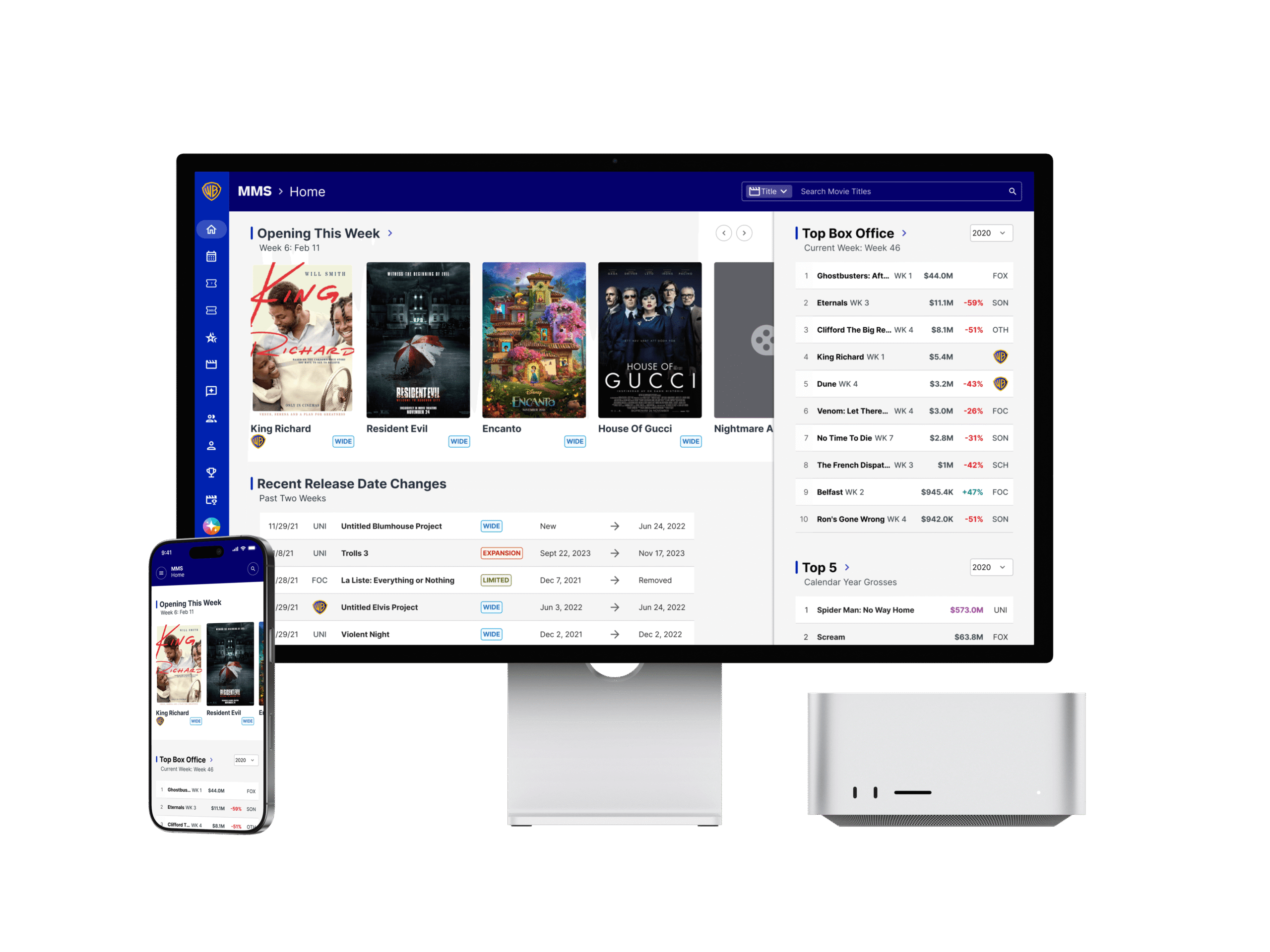
The Business Problem
Every major theatrical decision at Warner Bros., from green-lighting a film to locking a release date to assessing a movie after it opens, runs through the Movie Marketing System (MMS). Teams across production, finance, marketing, international distribution, home entertainment, and television depend on it to track release dates, box office performance, talent, reviews, awards, and marketing assets.
Admin users who capture and maintain the data have to work through a clunky experience, and executives who need clear, presentation-ready insights have to dig for them. The result is wasted time, a steeper learning curve for new users, and a greater risk of errors in data that high-stakes decisions are built on.
The Goal
Deliver MMS3 as a reliable, modern platform that:
- Gives admin users an efficient, accurate way to capture and manage movie data (release dates, box office, talent, reviews, awards, and marketing assets).
- Gives executives a clear, presentation-ready view of that data so they can make faster, more confident decisions.
- Works consistently across departments with differing needs and levels of familiarity with the system.
- Minimizes disruption by being stable, dependable, and fully functional.
The Design Challenge
How might we design a single system that serves both data-heavy admin workflows and polished executive presentations, while staying intuitive for a wide range of departments and robust enough for business-critical use?
Key tensions to address:
- Two audiences, two mindsets: Admins need speed, density, and control for data entry. Executives need clarity, storytelling, and visual polish.
- Breadth of information: Movie details, talent, budgets, competitive analysis, box office, awards, and reviews must be organized so people can find what they need without being overwhelmed.
🕵️ RESEARCH
Methods and Skills used: User Interviews • Empathizing • Crafting Personas
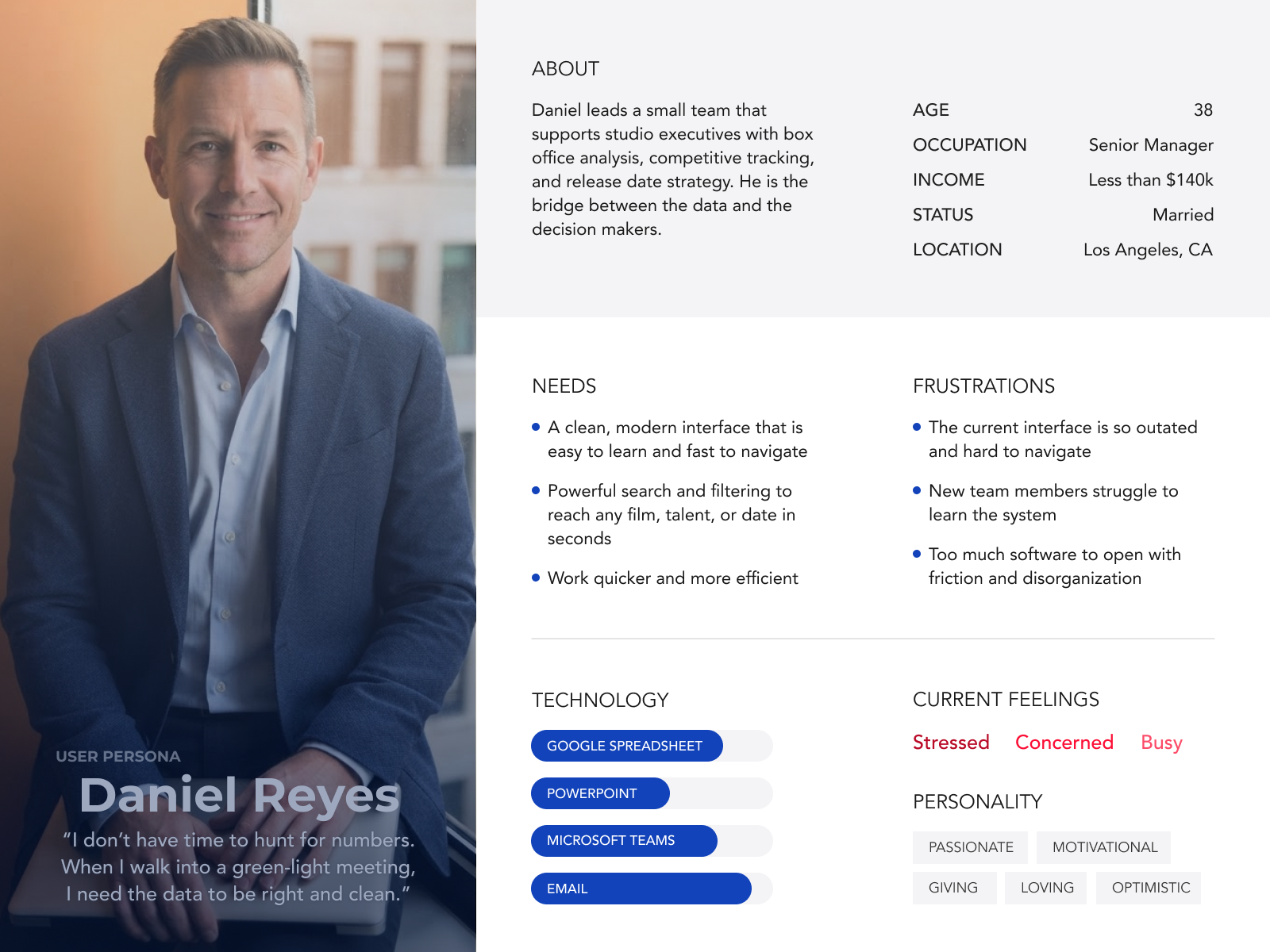
I started off with conducting user interviews with users such as Daniel. Managers like Daniel are on the front lines, interacting entertainment executivies.
What information do you look for most often in MMS?
Which parts of the system do you use daily, and which do you avoid?
What is the most frustrating part of using MMS today?
📝 DEFINE
Methods & Skills used: Crafting Problem Statements & User Stories
We want to clearly articulate the problem based off of user insights collected from our interviews. These are a few problems statements that were articulated from it.
Problem statement: Daniel, a theatrical marketing analyst, needs to find accurate movie, talent, and release date information quickly, but the current MMS interface is outdated and requires too many steps to reach it.
Impact: Time is lost searching before every executive meeting, new users face a steep learning curve, and people fall back on a few familiar views instead of using the full system.
Opportunity: How might we help users reach any film, talent, or date in a few clicks?
Suggested success measures: Time to find a title, number of clicks to key information, and task completion rate for new users.

User Story
"As a theatrical marketing analyst preparing for an executive meeting, I want to search for a film, talent, or release date from anywhere in MMS3 and get relevant results immediately, so that I can spend my time on analysis and the story I’m telling instead of hunting for numbers."
Acceptance Criteria
- Key details at a glance: Each film result shows title, release date, status, and distributor so users can confirm they have the right item before opening it.
- Filtering: Users can narrow results by type, release year, status, and department-relevant criteria.
- Direct access: Selecting a result opens the relevant detail page in no more than one click from the results list.
How Might We
help theatrical marketing teams find accurate movie, talent, and release information in seconds and turn it into executive-ready insights, so decisions are made with confidence instead of time lost searching, rebuilding, and double-checking data?
🧠 IDEATE
Methods & Skills used: Figma • iPad • Sketching/Drawings • Conducting Workshop Sessions
Low Fidelity Concept
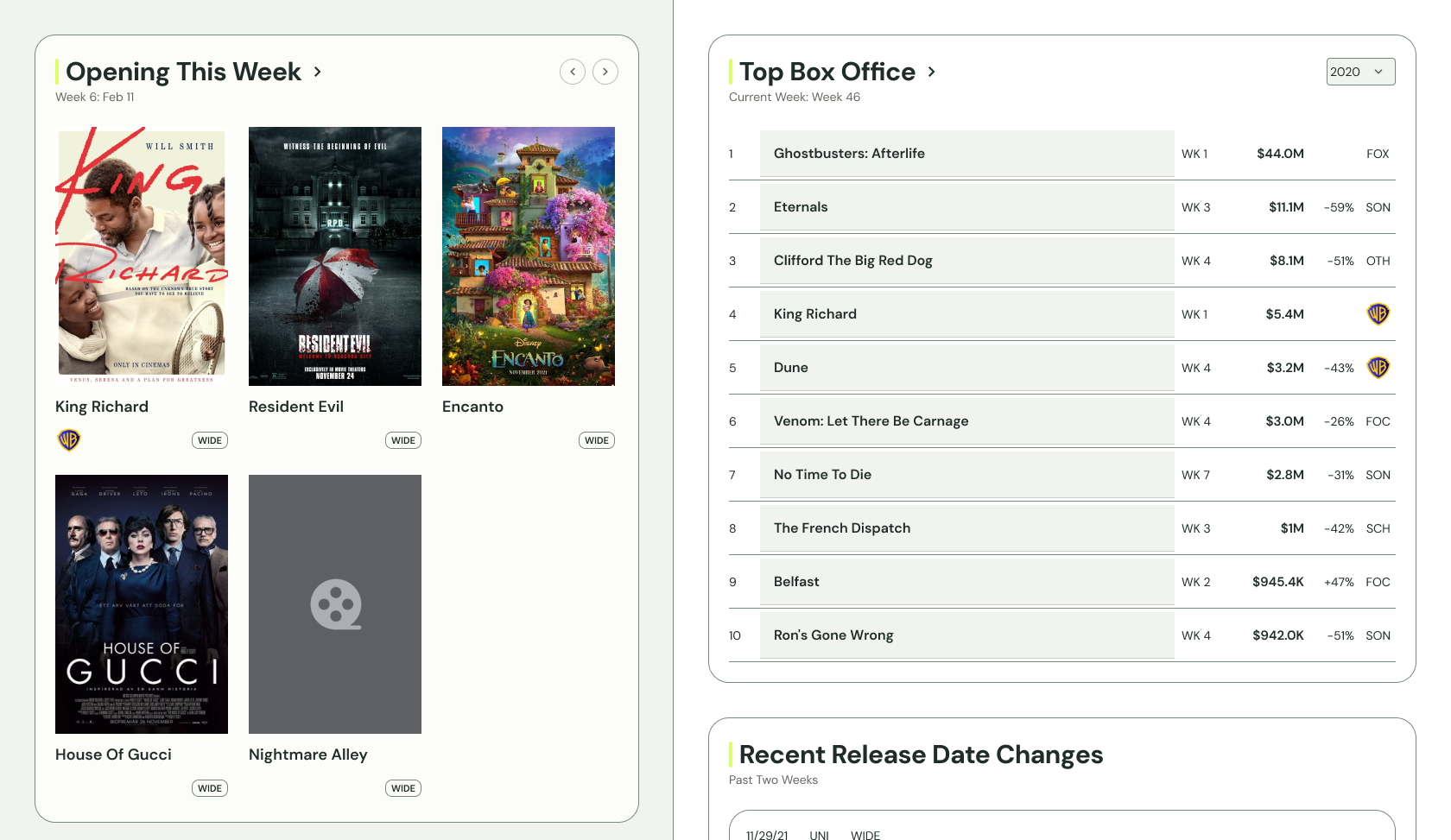
With the necessary insights at hand, we iteratively refined the charts and skillfully compiled them onto a single, cohesive page. Presented to the senior leadership, the page evolved from sketching to low fidelity, showcasing a meticulous and impressive transformation.
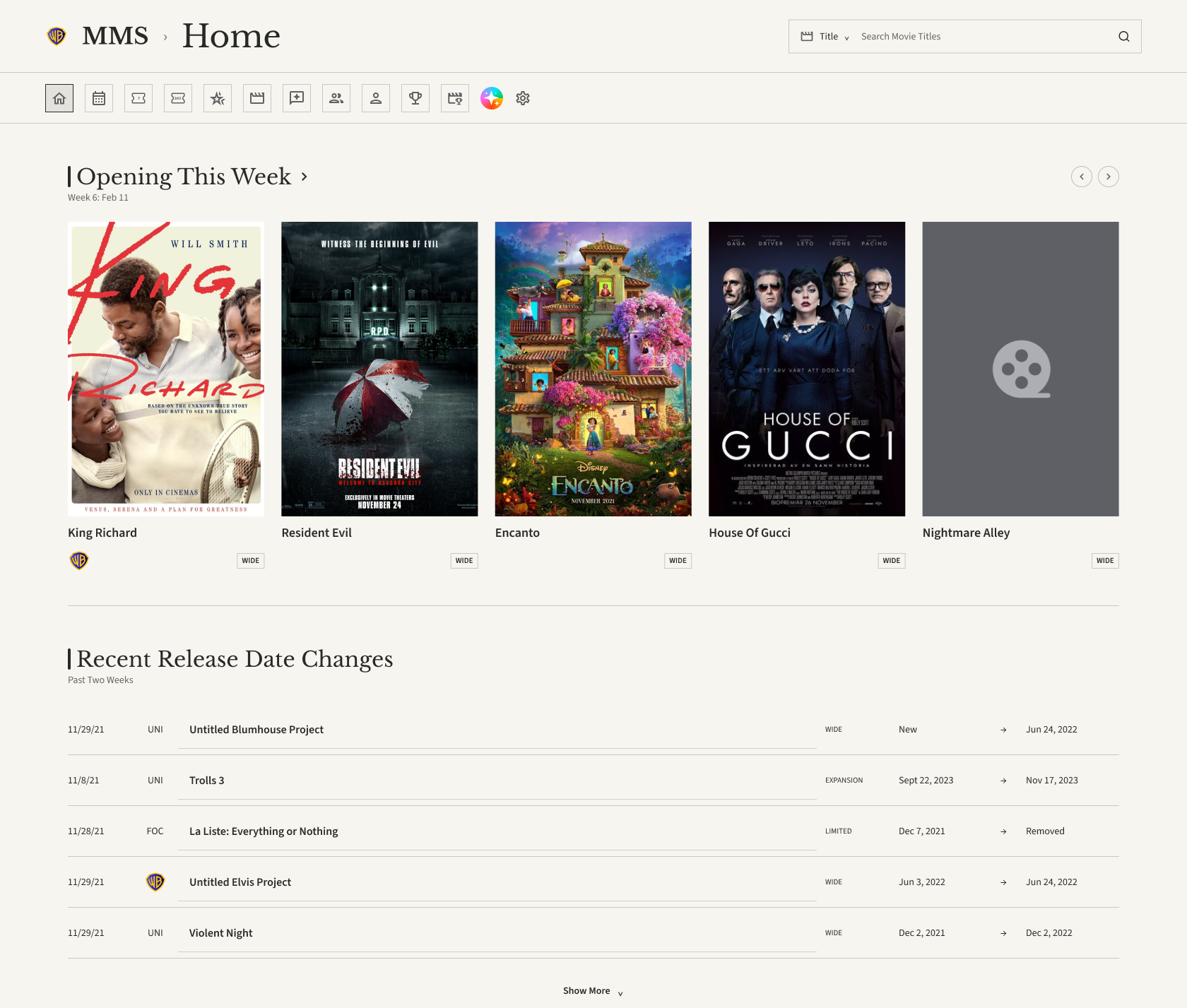
Before / After
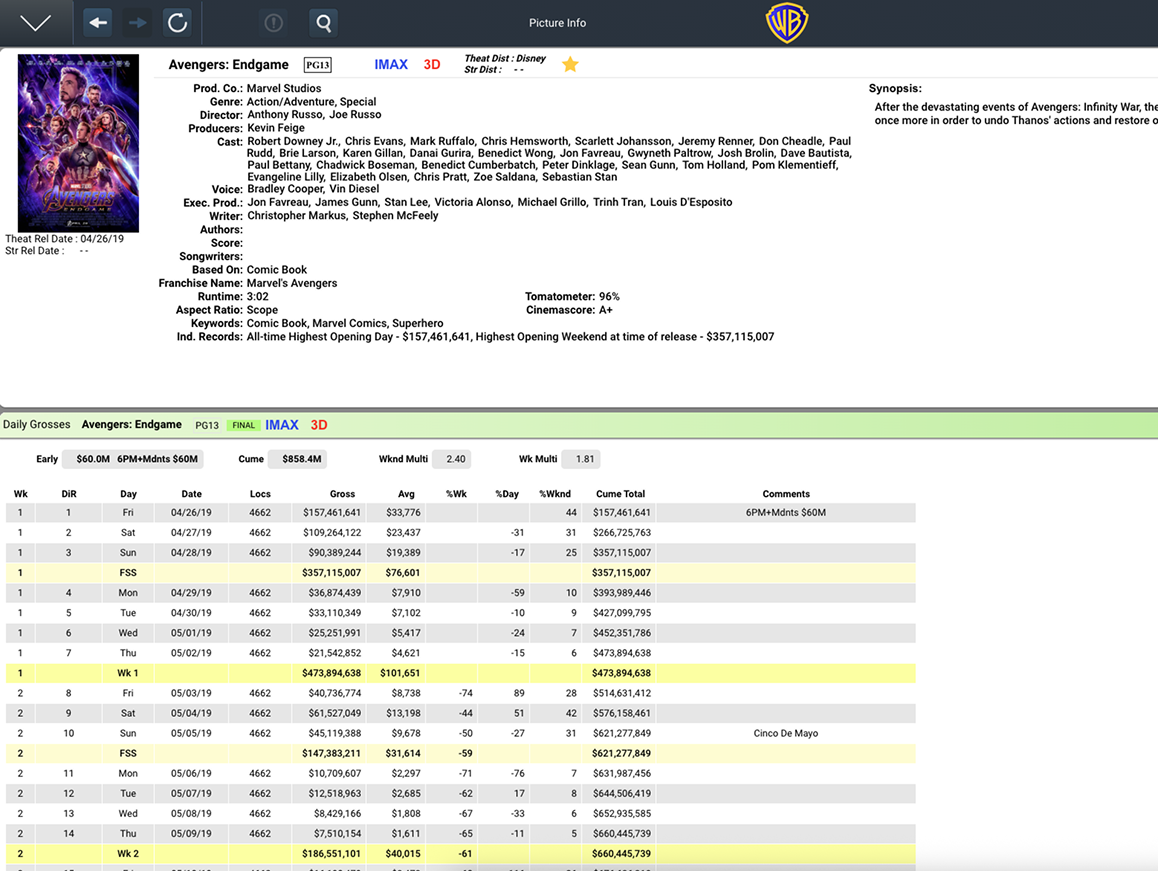
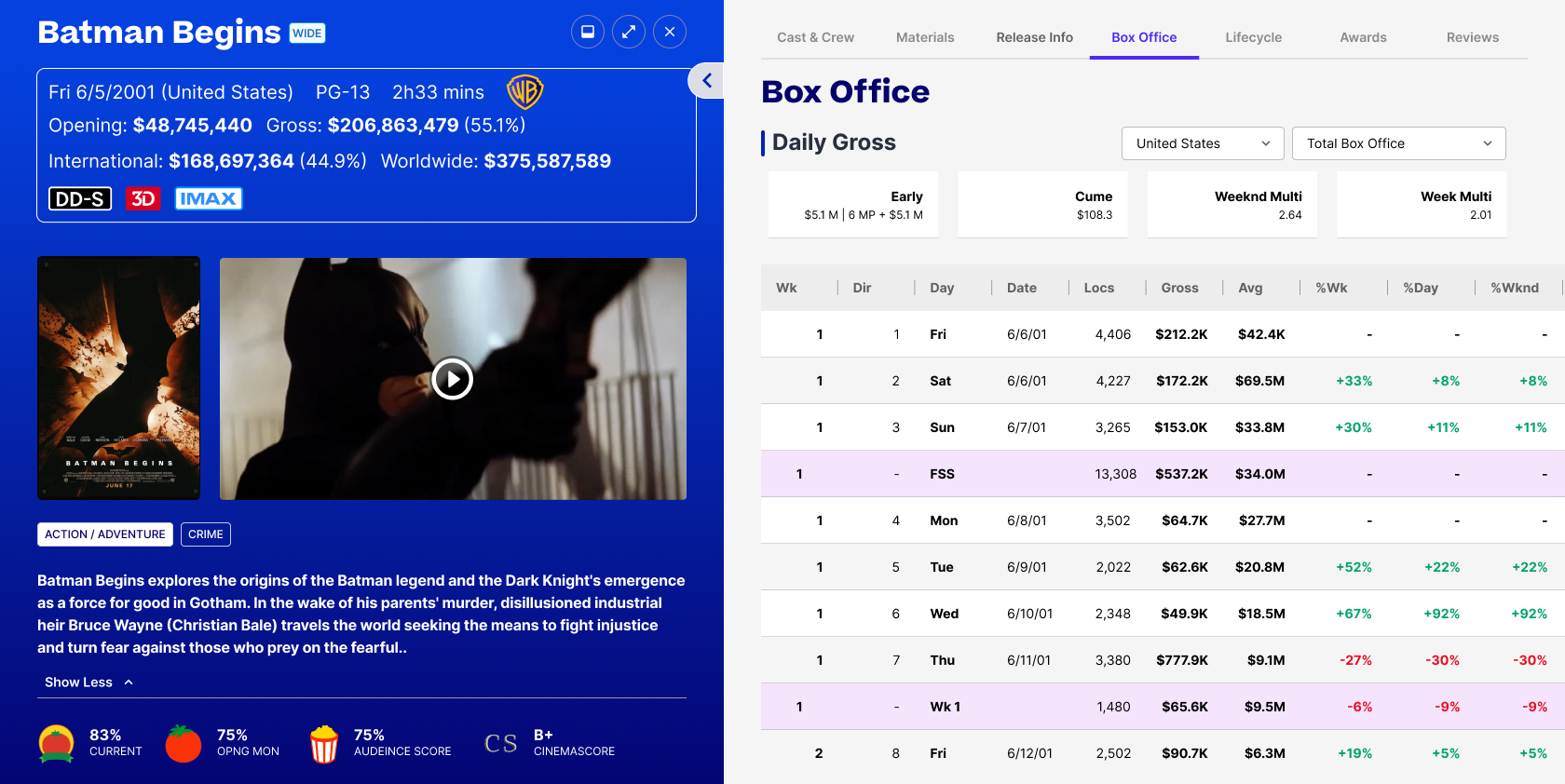
Based on what we learned from user interviews, I designed an Executive Presentation View dashboard that brings the most-requested information into one scannable, presentation-ready screen. The “Opening This Week” module uses large poster art, distribution labels, and release type tags (such as WIDE) so executives can see the weekly slate at a glance, with carousel arrows to move through additional titles. The “Top Box Office” module shows the ranking, week in release, gross, week-over-week change, and distributor in a clean table with a year selector, so users can quickly compare performance without exporting data into spreadsheets..
Click over over expand button to enlarge the prototype.
🔬 Test Results
Methods & Skills used: Gainsight PX, UserTesting, Zoom, Google Survey Forms
These are projected targets to be validated with a baseline from MMS2 and usability testing on prototypes.
Clicks to reach a film’s detail page
MMS 2: 2-6 clicks
MMS 3: 2 clicks or less
Time to understand the weekly slate at a glance
MMS 2: ~ More than a minute
MMS 3: Under 10 seconds
Clicks to reach box office data for any title
MMS 2: 2-6 clicks
MMS 3: 2 clicks or less
Users who say the layout is “easy to scan”
MMS 2: 40%
MMS 3: 80& or more
Lessons learned
Defining the business problem, persona, and interview questions before any design work kept the team focused on what users actually needed: finding information fast and presenting it with confidence. The dashboard came out of those insights instead of personal preference.
For leadership: Early research reduces rework later. A few interviews up front are cheaper than redesigning after engineering has built the wrong thing.
Design-centric KPIs such as clicks to key information, time to understand the weekly slate, and first-time task success make the value of the design easy to see and easy to explain to non-designers.
For leadership: Agree on a baseline and success measures at the start of the project, not the end. Without a “before” number, it is hard to prove the improvement.
Photography
Weekday Evenings
7PM -10PM
Weekends
1 PM - 11 PM
Contact
Phone
+(562) 552 2526
info@michaelserna.design
Address
Riverside, California